Video Consultation
Sleepfore platform provides support for video call for remote consultation or group sessions.
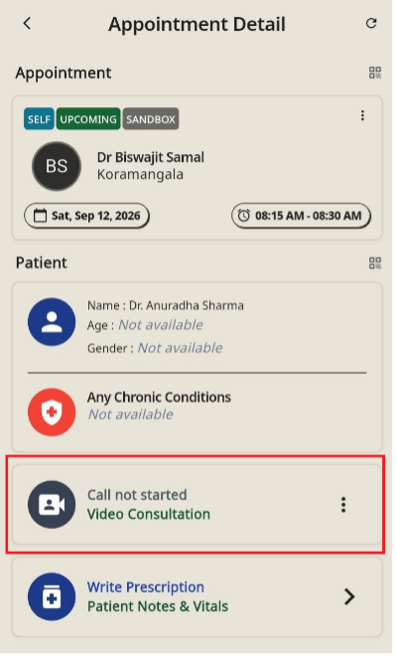
Starting & Joining a Video Call
Initiate and enter the video session.
- Open the target appointment to view Appointment Detail.
- Tap Video Consultation directly (showing Call not started).
- Tap Yes on the confirmation prompt (Do you want to start this call?).
- A success banner (Call started successfully) will appear, the button updates to Join Call, and you will automatically enter the video call interface.
Ending a Video Call
Terminate the active consultation session.
- From the In-Call Screen: Tap the red End Call button at any time.
- From Appointment Detail: Tap the three-dot menu (⋮) next to Join Call, select End Call, and tap Yes on the confirmation prompt (Do you want to end this call?).
- A success banner (Call ended successfully) will confirm the action, resetting the button to Call not started.